BLOCK COLLECTION SETUP
Build Faster with Your Block Collection
Whether you’ve purchased a Block Library, Funnel Collection, or Creator Collection, every collection installs and functions the same way.
Start by retrieving your license key, then follow the installation guide below. Once your collection is installed, browse the tutorials to learn how to insert layouts, customize sections, and make the collection your own.
Average Setup Time: 3 Minutes
Quick Start
Three Simple Steps
Everything you need to begin in three simple steps.
02.
Connect Your Library
Connect your collection using your license key.
03.
Build Your First Page
Browse your library and start building your pages.
Install your collection
Let’s Get You Set Up
Every collection installs the same way. Follow the steps below to connect your library to your website.
Quick Tip
Can’t find your license key?
Log in to your Hello You Designs account and open the License Manage section to copy your key or deactivate old activations.
Once you have your license key, you’re ready to connect your Block, Funnel, or Creator Collection to your website.
step 1
Log in to your WordPress website.
step 2
Edit an existing page or post, or create a new one.
step 3
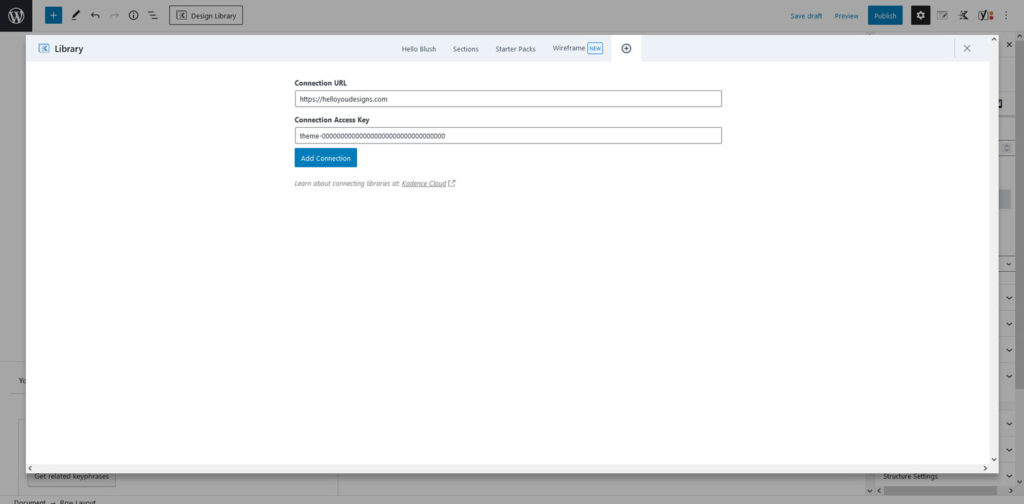
Click Design Library in the top-left corner of the editor. When the Design Library opens, click the + icon in the upper-right corner to add a new connection.
step 4
Enter the following information: Connection URL
https://helloyoudesigns.comConnection Access Key
Paste the license key you copied from your Hello You Designs account.
Click Add Connection.
step 5
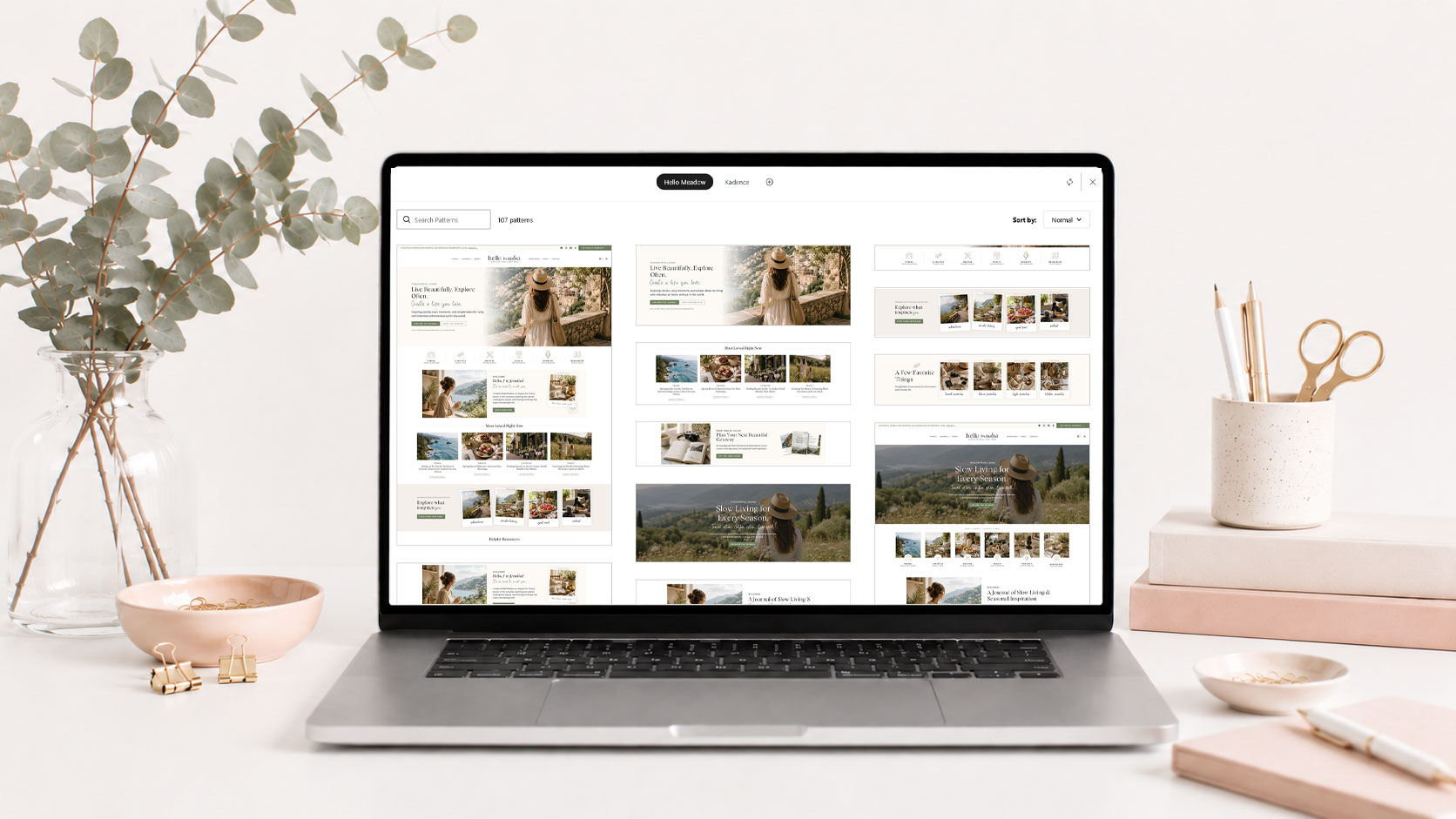
Your collection will now appear as a new tab alongside your theme library. You can begin browsing and inserting blocks, pages, and layouts directly into your website.


You can manage your Hello You Designs license keys anytime from your account area.
If you need to move your license to a different website, simply deactivate it here before activating it on your new site.
step 1
Log in to your account at HelloYouDesigns.com.
step 2
Click License Manage from the account menu.
Here you can:

VIDEO TUTORIAL
Learn to Use Your Block Library
Learn how to use your Block Library with confidence. This video covers browsing your library, adding blocks to your pages, editing content, moving sections, and customizing layouts to fit your website.
Next Steps
Explore More
Now that your site is installed, explore these resources to customize, learn and grow.


Frequently Asked Questions
Have questions about the block libraries?
Find answers to the questions we hear most often during installation and setup.

Still need help?
We’re happy to help! If you couldn’t find the answer you’re looking for, send us a support ticket and we’ll get back to you as soon as possible.