
Button Links Won’t Update
If your button link isn’t working, it’s usually because the link wasn’t applied before updating the page.
How to Fix It
Step 1: Edit the page and select the Button block.
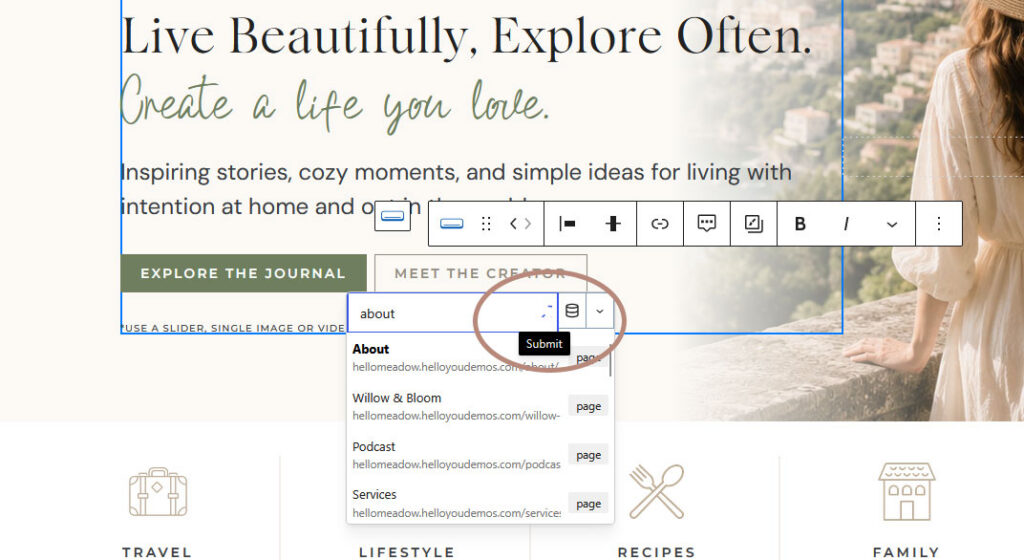
Step 2: Click the Link icon and enter your URL.
Step 3: Press the arrow (↵) or Enter to apply the link.
Simply typing or pasting the URL isn’t enough. The link must be confirmed before it will save.
Step 4: Click Update to save your page.
Helpful Tip
If you paste a link but don’t click the arrow (or press Enter), the URL won’t be attached to the button—even if you update the page. Always confirm the link first, then save your changes.

Still Need Help?
Didn’t find the solution you were looking for? Browse more troubleshooting articles or contact our support team.