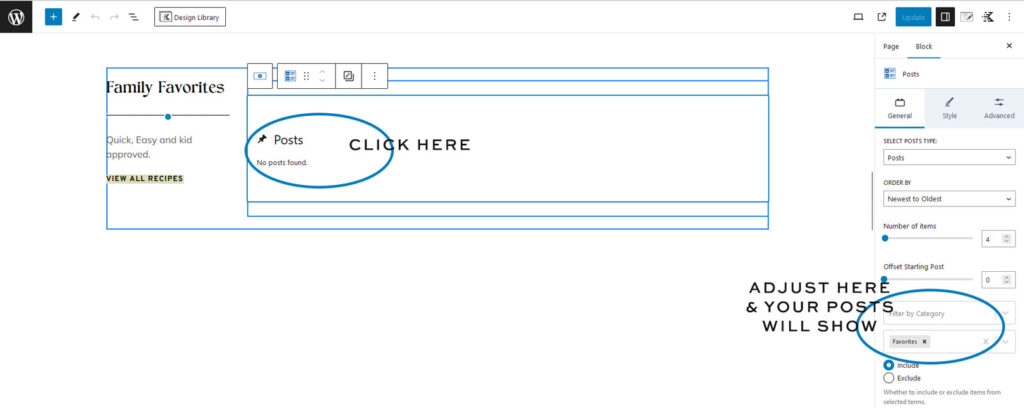
No Posts Found Import Issue
If you’re seeing “No Posts Found” after importing the demo, don’t worry—this is completely normal.
The demo imports sample content, but your post blocks still need to be connected to the categories or tags you want to display. Running the demo import again will not fix this.
How to Fix It
Step 1
Edit the page where you’re seeing “No Posts Found.”
Step 2
Click on the post block that’s displaying the message.
Step 3
In the editor on the right, choose the Category or Tag you want the block to display.
Step 4
Save the page and refresh. Your posts should now appear.
Helpful Tip
Each post block can display different categories or tags, so it’s completely normal to update these throughout your website as you customize the demo.